

Get Data from SQL Databases - Part 1
As a data scientist you need to get data. Traditionally and more often than not people and companies have stored data in databases that can be queried using SQL programming language.
Simply put, it is highly impractical to save your data in a single or multiple spreadsheets because then you end up with huge tables which are not maintainable.
There are many database systems that have been developed and used over the years and you can see a list here:
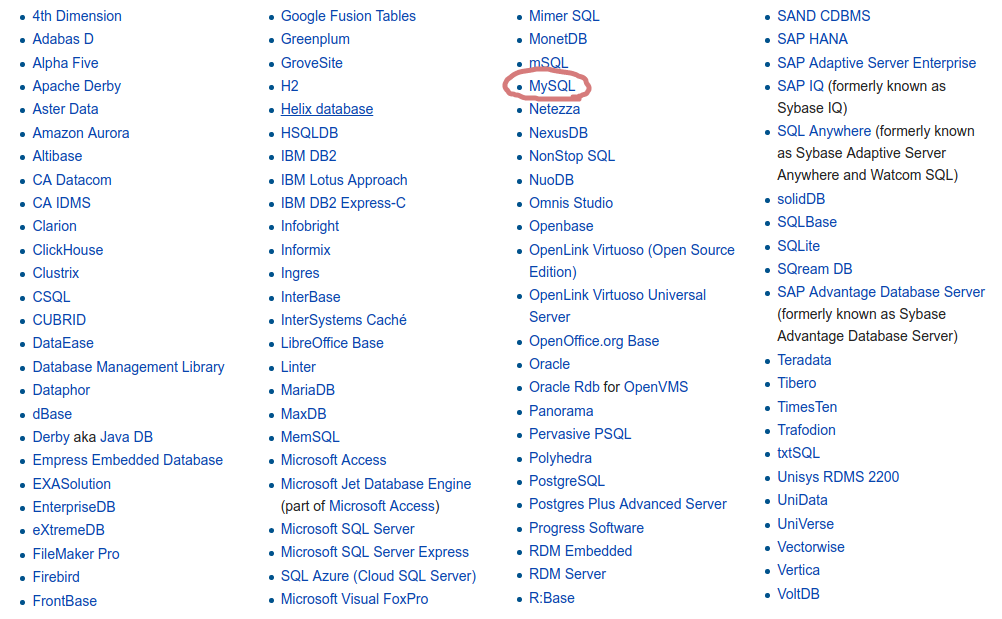
In this course we are going to use MySQL but when you go to a company you might end up with any of the databases you see above.
In general it is expected from any data scientist to have the skills to retrieve information from any kind of database. Companies will appreciate that you might need a substantial amount of time to get the data, this is known to be the hard part, but they will not be tolerant on the how. You just need to know it. There are cases however where you have a properly organized team where there are data engineers taking the role of feeding you data in any kind of format that data science team will request.
The good news here is that even if we have many systems most of them work on the basic SQL programming language so you always have a subset of SQL commands that are common across database systems.
When you are asking for data from a database is the equivalent of having a client that requests data from a server. In other words you access a database system from a server and you need a tool to play the role of the client.
If you work in a company or for a client you should be given access to a server. In addition for security reasons you will need a username and a password.
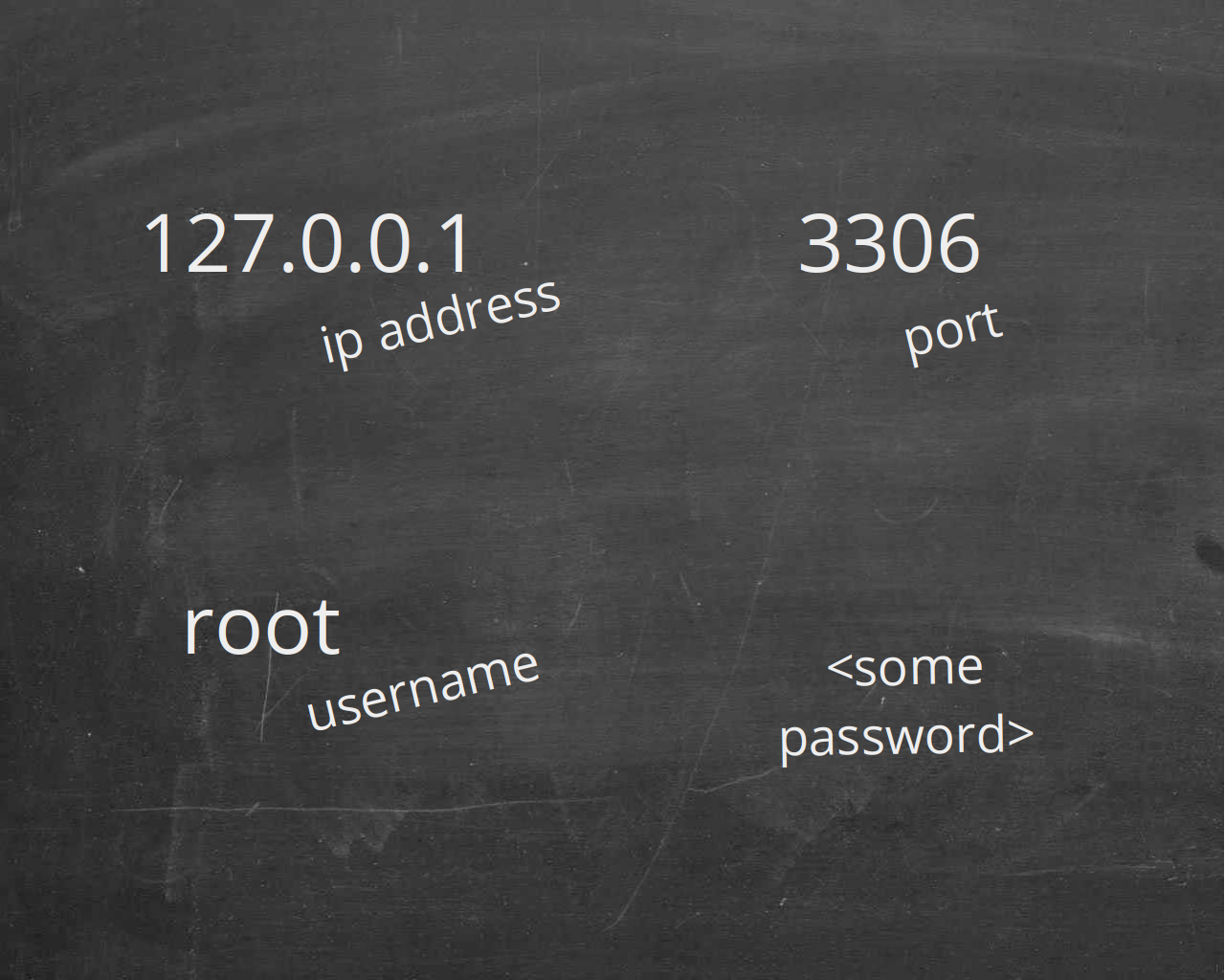
In this course the computer plays both the role of the server and the role of the client. You are also using the default username and a password of your choosing.
For MySQL the connection info are given here:
So now you always need are two things: 1) To install the SQL server and 2) to find and install the SQL client, the program that is mostly used with this SQL server.
There are no instructions here. You should acquire the skills of doing it on your own. There is nothing special to share with you more than what you can find by searching online. So install the MySQL server and the MySQL Workbench (client)
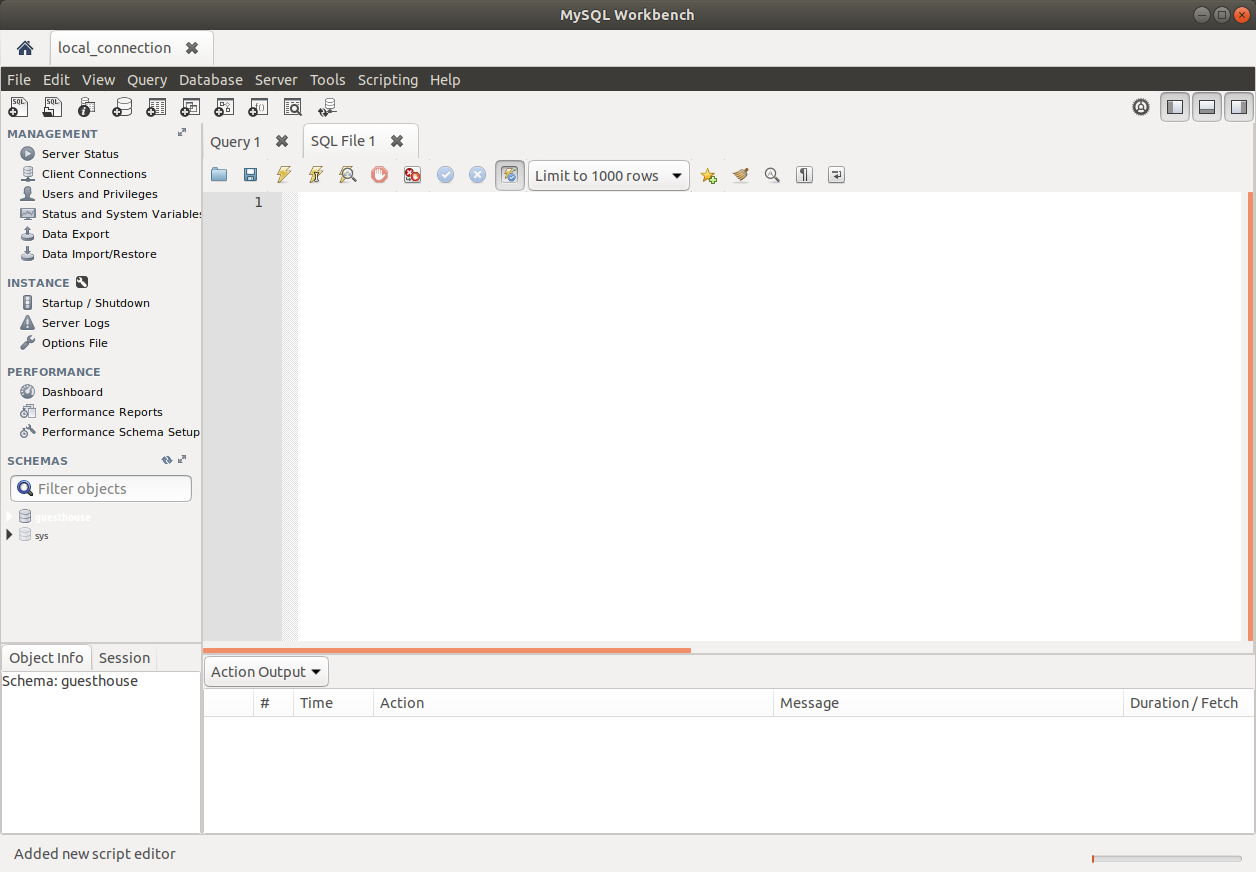
If you have done things right then you will be connected to your local MySQL server using MySQL workbench:
Now we need some data in order to be able and play because currently you have nothing. We will play with data from a guest house / motel / hotel something like that so that everybody has some domain knowledge on that.
It is important to familiarize yourself with the data. As a data scientist you will be given data that are not so easy to understand as data from a hotel. You need to ask and have a clear understand of what are the meaning of the various terminologies and more information about the data in order to see how they relate to your task at hand.
Download the guesthouse.sql file from this link: https://goo.gl/3qsQMS
which contains all of the SQL statements that create our database
We always need a visual, we need a map, to know how to navigate to our dataset. This is called the diagram of our database. For our case we have the diagram ready here:

When building queries you will always need this diagram by your side because being given access to a database is not enough! The database will rarely be small enough in order to build the schema manually. There are options for reverse engineering an existing database to get the schema in a graphical way like shown here but these diagram generator might generate a difficult to read ugly looking diagram.
See the video above for instructions on how to import the data and create a new schema. A schema is a database. You will install one server but this server will be able to serve multiple databases. For MySQL each one of these databases is called a schema. A schema is a collection of tables. Eventually you will be dealing with multiple projects and you should expect to deal with multiple schemas.
Here we have one schema, one database and the corresponding diagram above.
Each one of these boxes, named guest, booking etc., is a table, like a spreadsheet in excel, with data inside.
In order to get all the data from a table you execute:
select * from table_name
where select means get, star-symbol means all columns and the rest of the statement is obvious.
Alternatively you can do:
select col_name1, col_name2 from table_name
and now you are retrieving the data by keeping only two columns: col_name1 and col_name2. Still all rows are being fetched.
Sometimes you need all the possible unique values that exist in a table. You can use keyword distinct for this like so:
select distinct occupants from booking
By executing the above statement you get back three possible values: 1, 2 and 3. What happened with booking of four people? The typical case of a couple and two kids?
Well here is that you start thinking like a data scientist. The data makes little sense and the story here is that this is not a real database but rather a sample database made for educational reasons.
Congrats on acquiring the skill of how to get unique values from a table with the distinct keyword.
Another common question is: How large are your tables?
For example: How many guests in total do you have?
If counting guests is what we need does SQL provides us a way to count things? Yes this is pretty straightforward, we just use the keyword count like so:
select count(*) from guests
This counts all rows regardless of the columns.
Alternatively you could do:
select count(col1), count(col2) from guests
You would initially expect that the same number of rows exist for both col1 and col2 since this is a table. However a cell of the table can get the value NULL.
NULL means empty, nothing, no information, blank.
And count function has the effect of counting only those values which are not NULL.
The consequence of this functionality is to get as a result: 50, 48
So for col1 we have no missing (NULL) values while for col2 we have 2 missing values.
In another course we are going to cover this issue of missing values and how we should treat those cases in data science because the fact is that the real-world data are full of missing values and other inconsistencies.
This completes the part 1 of this course. If all you needed is to get the data from a single table which sometimes could be as simple as that then you already have the skills and do not hesitate to click this export button in MySQL Workbench to export the table data to csv or other formats.
Feel free to play with the acquired skills
Enjoying it is not optional :)
0 comments